





Creator's Description
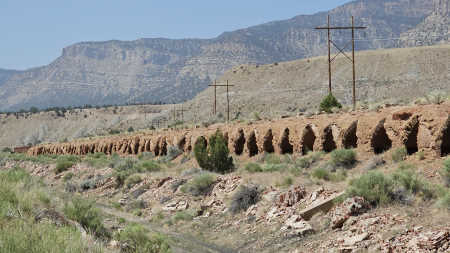
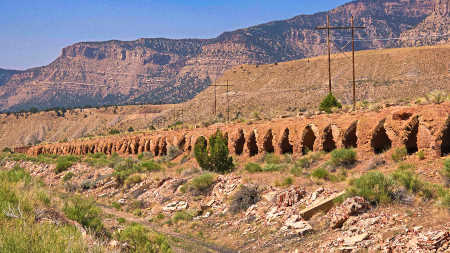
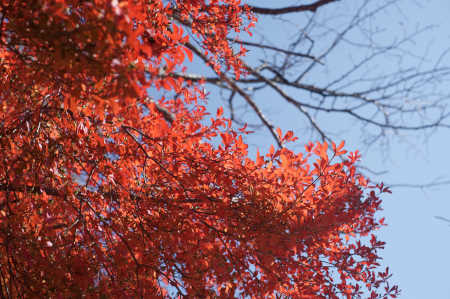
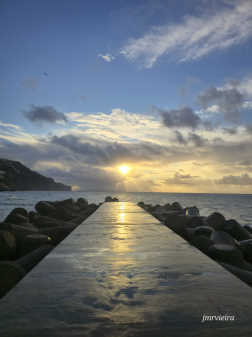
This preset corrected the foggy pic and brought color, high definition and beauty to some of my pics






Adjustment Parameter
Here you may check the adjustment controls and parameter settings applied on the above image. You may download this adjustment preset and simply apply to your photo/video, or further tweak adjustment values in PhotoDirector/ColorDirector.
- Treatment
-
- Color
- White Balance: Custom
-
- Temperturefalse-1001000
- Tintfalse-1001000
- Tone
-
- Tone
- Exposurefalse-44-0.2
- Contrastfalse-10010052
- Brightestfalse-10010010
- Brightfalse-10010010
- Midtonefalse-1001002
- Darkfalse-10010020
- Darkestfalse-1001000
- Tinge
- Clarityfalse-10010040
- Vibrancefalse-10010045
- Saturationfalse-10010027
- HDR Effect
-
- Glow
- Strengthfalse010041
- Radiusfalse15015
- Balancefalse-100100-57
- Edge
- Strengthfalse-20808
- Radiusfalse1507
- Balancefalse-1001000
- Level
-
- Level Preset:falseStandard


- Curve
-
- Tonal Region
- Highlightsfalse-10010070
- Lightsfalse-100100-71
- Darksfalse-100100-56
- Shadowsfalse-100100-16

- HSL & Color
-
- Hue
- Redfalse-10010024
- Orangefalse-100100-18
- Yellowfalse-1001000
- Greenfalse-1001009
- Aquafalse-1001000
- Bluefalse-10010016
- Purplefalse-10010034
- Magentafalse-1001000
- Saturation
- Redfalse-100100-9
- Orangefalse-10010023
- Yellowfalse-10010023
- Greenfalse-10010038
- Aquafalse-10010044
- Bluefalse-100100-69
- Purplefalse-100100-25
- Magentafalse-1001000
- Lightness
- Redfalse-10010032
- Orangefalse-10010030
- Yellowfalse-1001004
- Greenfalse-10010057
- Aquafalse-1001000
- Bluefalse-100100-54
- Purplefalse-100100-36
- Magentafalse-100100-48
- Black & White
-
- Lightness
- Redfalse-1001000
- Orangefalse-1001000
- Yellowfalse-1001000
- Greenfalse-1001000
- Aquafalse-1001000
- Bluefalse-1001000
- Purplefalse-1001000
- Magentafalse-1001000
- Split Toning
-
- Highlights false
- Hue false 0 360 7.0
- Saturation false 0 100 100.0
- Balance false -100 100 -65.0
- Shadows false
- Hue false 0 360 81.0
- Saturation false 0 100 0.0
- Detail
-
- Sharpness
- Amountfalse010060
- Radiusfalse165.3
- Edge Maskfalse010044.0
- Noise Reduction
- Luminancefalse010041
- Detailfalse010031
- Texturefalse010040
- Colorfalse010048
- Detailfalse010085
- Lens Correction
-
- Auto Lens Correction
- Maker: none true
- Lens: none true
- Profile: none true
- Keystone
- Verticalfalse-1001000
- Horizontalfalse-1001000
- Fisheye Distortion
- Distortionfalse-1001000
- Chromatic Aberration
- Blue/Yellowfalse-1001000
- Red/Cyanfalse-1001000
- Vignette Removal
- Amountfalse01008
- Midpointfalse0100100
- Vignetting Effect
- Shadefalse-100100-21
- Sizefalse010071
- Roundnessfalse-10010030
- Featherfalse010050